


iPega PG-9057 Phantom ShoX Bluetooth Gun Controller
iPega PG-9057 Phantom ShoX Bluetooth Gun Controller
🚚 Fast delivery
🔒 Secure checkout
✔️ Quality guaranteed
⚡ Quick processing
BUNDLE & SAVE
Couldn't load pickup availability
iPega PG-9057 Phantom ShoX Bluetooth Gun Controller
Get it between - and -.
- Cross Direction Key: For directional input.
- Left 3D & L3 Key: Left analog stick, press down for L3.
- Right 3D & R3 Key: Right analog stick, press down for R3.
- L1/L2 Keys: Left shoulder buttons.
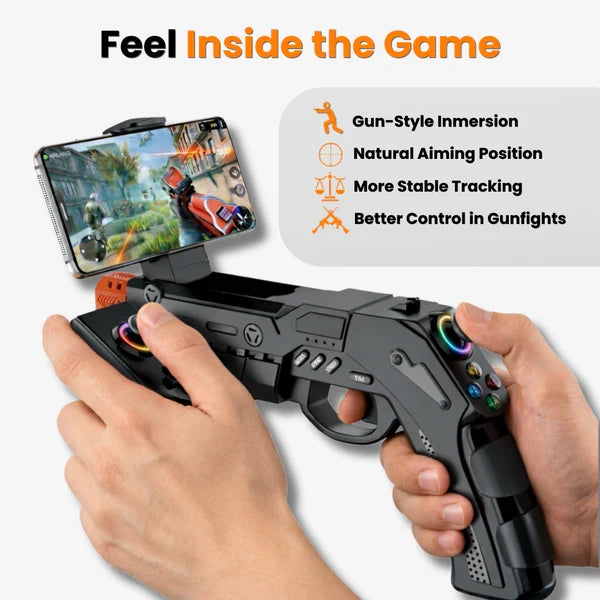
- R1/R2 Keys (Trigger): Right shoulder buttons, R2 acts as the main trigger.
- ABXY Function Keys: Standard action buttons.
- SELECT/START/HOME: System function buttons.
- Indicators: For charging status, battery level, and current operating model.
- USB Interface: For charging the controller.
- Reset Key: To reset the device.
- Switch for Motor Vibration: To enable or disable vibration feedback.
- Switch for Android/iOS Model Conversion: To select the appropriate operating mode for your device.
Setup and Connection
- Charge the Controller: Before first use, fully charge the PG-9057 using the provided USB cable connected to a power source. The charging indicator will show the status.
- Select Operating Mode: Use the 'Switch for Android/iOS Model Conversion' to select the correct mode for your device (Android or iOS). For PC, the controller typically connects in Android mode.
- Activate Bluetooth: On your smartphone, tablet, or PC, enable Bluetooth.
- Pair the Controller: Press and hold the HOME button on the PG-9057 until the indicator lights start flashing, indicating it's in pairing mode.
- Connect Device: On your device, search for Bluetooth devices and select "PG-9057" (or similar) from the list to pair. Once connected, the indicator light will become solid.
- Mount Your Device (Optional): If using a smartphone, extend the integrated phone holder and securely place your phone.

- Power On/Off: Press the HOME button to power on. To power off, press and hold the HOME button until the indicators turn off.
- Gaming: Once connected, launch your favorite games. The controller should be automatically recognized by most compatible games.
- Vibration Feedback: Use the 'Switch for Motor Vibration' to toggle the recoil vibration feature on or off according to your preference.
- Battery Check: Refer to the battery level indicators to monitor the remaining charge.
- Game Compatibility: While the controller supports a wide range of games, some titles may require specific mapping or may not fully support external controllers. Refer to the game's settings for controller option


Free Shipping
Free Shipping
Free Shipping
Free Shipping
Free Shipping
Free Shipping
Free Shipping
Free Shipping
Free Shipping
Free Shipping
Free Shipping
Free Shipping
Free Shipping
Free Shipping
Free Shipping
Free Shipping
Free Shipping
Free Shipping
Free Shipping
Free Shipping
Free Shipping
Free Shipping
Free Shipping
Free Shipping
Free Shipping
Free Shipping
Free Shipping
Free Shipping
Free Shipping
Free Shipping
Free Shipping
Free Shipping